I already had personal accounts on myspace and facebook. Mostly I use it to stay in touch with my kids and some of my kids parents accounts too. But not very many much like IM I use it to talk to my kids and sometimes my sister but none of my friends IM. Too bad too - I really like all of these. But not very my folks my age have the desire to even look into these.
Facebook I join Library 2.0 Interest Group and NextGen Librarians both sounded interesting and hopefully I will be able to learn more from both of these groups.
I knew that Hennepin teen library had a Myspace and I have looked at it before but I asked to be a friend. That way when they have something new it will show up on my page. Denver looked very interesting also so I asked to be friend here too. Maybe I will get some ideas for my teen programming from them.
Both places I noticed had new books on them, teen programming, let the teens have input and some ownership. Plus if you have them as a friend other people that are your friend will see that and then maybe take an interest in them too. Then they will find out what is cool and happening at the library.
One of my teen patrons was impressed that I blog and asked if they library had a blog!! Something to think about! What could I write about -
Monday, March 31, 2008

Thing 19
I listened to SHP#25 - Magical Maintenance Harry Potter podcast. I found both podcast.com and podcast.net easy to use. I had heard lots of things about podcasts but only had really listened to one because it was a class that I was taking.
I think they are great and also did like -http://hzapps.hclib.org/teens/Podcasts/GetXML.cfm because I think Hennepin Library is very progressive with their teen library services.
But for right now I have no desire to do any podcasting. I would have to have a reason like something for class to do a podcast.
I think they are great and also did like -http://hzapps.hclib.org/teens/Podcasts/GetXML.cfm because I think Hennepin Library is very progressive with their teen library services.
But for right now I have no desire to do any podcasting. I would have to have a reason like something for class to do a podcast.
Thing 17
This was one of the more difficult things for me to complete. I was barely familiar with all of these except NetLibrary for downloading eaudio books and ProQuest for research. And in ProQuest I have only showed patrons how to email the articles they would like to take a closer look at to themselves. I don’t think that the directions were very clear for these things. But here is what I got.
The search alert is a great way to follow a subject that anyone is researching. I had a hard time using the RSS but was able to email.
I did not find EBSCO page composer user friendly, and could not see the changes I made until previewing the webpage. I found it to be a bit difficult. I completed two web pages but I never did get the image to work here.
ProQuest is a great research tool. I am more familiar with this site. I usually direct patrons to this one. I did the work and emailed the page to myself and will forward to my supervisor.
NetLibrary is the future of reading. I have downloaded eAudio books to my mp3 player before. I think it is great to be able to type in a word and to search for it in an entire book in a matter of seconds and it allows you to write notes online that I was not aware of before this training.
The search alert is a great way to follow a subject that anyone is researching. I had a hard time using the RSS but was able to email.
I did not find EBSCO page composer user friendly, and could not see the changes I made until previewing the webpage. I found it to be a bit difficult. I completed two web pages but I never did get the image to work here.
ProQuest is a great research tool. I am more familiar with this site. I usually direct patrons to this one. I did the work and emailed the page to myself and will forward to my supervisor.
NetLibrary is the future of reading. I have downloaded eAudio books to my mp3 player before. I think it is great to be able to type in a word and to search for it in an entire book in a matter of seconds and it allows you to write notes online that I was not aware of before this training.
Sunday, March 23, 2008
Thing 18
Ok I skipped thing 17 but I am at home and that one I will go back to it. But wanted to work some more on this.
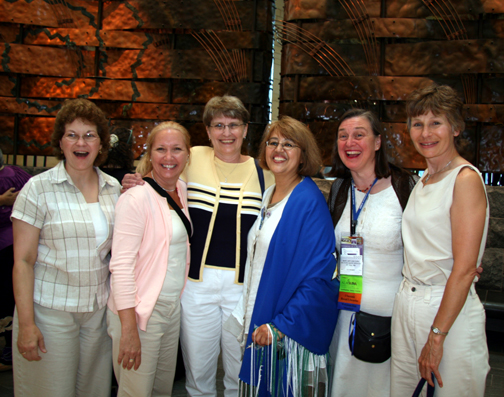
I have been on youTube before but not very much. I did post my favorite tagged "library"video on here. Also the Minnesota Librarian was Maryann Vancura - Hi Maryann!! Maryann is also on the picture at the bottom of my page - taken in Washington DC. Noticed it was not me on the video - I believe myself and 3 other rural librarians were there too.
I really don't see how this ties into library other than knowing how to navigate in them and be able to maybe answer questions when patrons are trying to find something. I had youTube top viewed already on my google reader but added the google video too they do cross over now but some of the videos were different on home pages. And usually I only have time to look at the home page to see what is new. I really did not like web 2.0 player but that is mostly because I am used to youTube home page.
Check the funny librarian exercise video I posted below!!
I have been on youTube before but not very much. I did post my favorite tagged "library"video on here. Also the Minnesota Librarian was Maryann Vancura - Hi Maryann!! Maryann is also on the picture at the bottom of my page - taken in Washington DC. Noticed it was not me on the video - I believe myself and 3 other rural librarians were there too.
I really don't see how this ties into library other than knowing how to navigate in them and be able to maybe answer questions when patrons are trying to find something. I had youTube top viewed already on my google reader but added the google video too they do cross over now but some of the videos were different on home pages. And usually I only have time to look at the home page to see what is new. I really did not like web 2.0 player but that is mostly because I am used to youTube home page.
Check the funny librarian exercise video I posted below!!
Thing 16
This thing is very interesting but probably would be of more help in an academic library. I work in a very small public library. I will keep both of these sites on my del.icio.us site just in case I do have a student or parent ask me about how to do any of these steps or they tell me the student or themselves are having any problems with these. I will have access to them and not have to say – OH we did learn about this but where to find it now!! So still using the new technology that I have learned to keep something at my fingertips if needed.
I did look around in them. The handouts would be better again for an academic library but to have them just in case.
I did look around in them. The handouts would be better again for an academic library but to have them just in case.
Saturday, March 22, 2008
Thing 15
I chose Second Life - my name is Shaw Acosta. I looked at this one because I don’t normally play games on the computer and this seems like less of a game. I have heard of Second Life many times at many different conference sessions I have attended. But this is the first time I created an avatar and took a look around.
Uses in libraries – well I could see it as a tool for youth that really are into computer and this would be a way to get them into a library so to speak besides just the computer room and maybe it might spark interest for them, knowing that libraries are also on games!!
Talking about gaming in libraries I ran into this:
Found this web site while on my Googlereader page in library news - http://www.library.cmu.edu/Libraries/etc/index.html - I’ll Get It and Within Range are games for kids at this library site – research help and putting books on shelf or where to look for the books. I thought they were fun.
The Library Arcade features games designed to help students develop research skills through entertaining and easy-to-repeat activities. At this stage, we are testing each game to work through any technical glitches and prepare the games for a final version.
Uses in libraries – well I could see it as a tool for youth that really are into computer and this would be a way to get them into a library so to speak besides just the computer room and maybe it might spark interest for them, knowing that libraries are also on games!!
Talking about gaming in libraries I ran into this:
Found this web site while on my Googlereader page in library news - http://www.library.cmu.edu/Libraries/etc/index.html - I’ll Get It and Within Range are games for kids at this library site – research help and putting books on shelf or where to look for the books. I thought they were fun.
The Library Arcade features games designed to help students develop research skills through entertaining and easy-to-repeat activities. At this stage, we are testing each game to work through any technical glitches and prepare the games for a final version.
Thing 14
Thing 14 was Librarything which I am really loving. I have always saying I should write down what I have read! Well how perfect. Lets me write it down - gives me the covers. Lets me get in contact with other like-minded readers easily and will give me recommendations. I am having great time but first time to set up takes a while if you want to put most of your books from the last couple years. I know right now I am even missing some titles but will keep adding as I go. What fun. Maybe because I am a librarian that I like this one sooo much.
See my random list below and link to my librarything page.
See my random list below and link to my librarything page.
Subscribe to:
Posts (Atom)